
Trading Journal Template: A Practical Format for Indian Traders
By MyTradeDiary Editorial Team · · 12 min read
A broker’s trade history shows what you bought and sold. When you review a difficult session a week later, you may also need to know why you entered, whether you followed your plan and what made you exit.
A trading journal keeps those details together.
The most useful template is one you can complete consistently. Start with the information that helps you explain your decisions, then add fields when you have a clear reason to use them.
This guide includes a copyable trading journal format, Excel formulas, a printable layout and a filled example. It gives Indian traders space to record charges and review their trading behaviour.
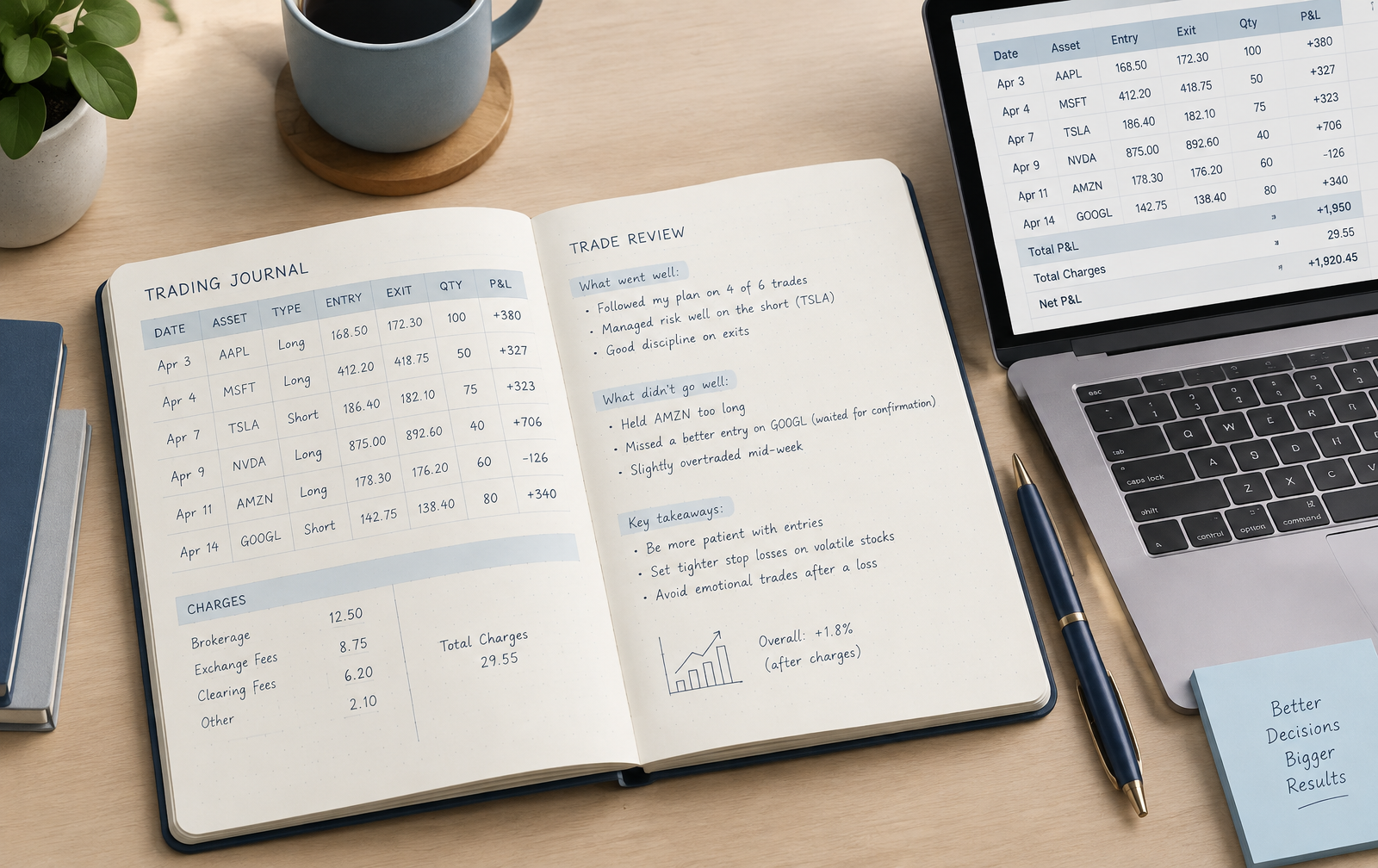
What is a trading journal?
A trading journal is a record of your trades and the decisions behind them. It combines transaction details with your original plan and a short review.
A useful entry explains the setup, the execution and the result after charges. It also records whether your actions matched the rules you wrote before entering.
Those details give your weekly review something concrete to work with. You can compare setups, inspect repeated mistakes and check whether trading costs change your interpretation of the results.
Journaling supports that review. It does not guarantee profitable trading.
Step 1 · Before entry
Record the plan and intended risk
Step 2 · After exit
Record execution and result
Step 3 · Weekly review
Compare decisions across trades
A trading journal format you can copy
Keep transaction fields separate from review fields. This makes the template easier to complete and filter later.
| Field | What to record | Example |
|---|---|---|
| Trade ID | A unique reference | DEMO-001 |
| Entry date and time | When the position opened | Actual execution timestamp |
| Exit date and time | When the position closed | Actual execution timestamp |
| Instrument | Symbol or full contract identifier | Stock symbol or option contract |
| Trade type | Your trading category | Intraday or swing |
| Direction | Position direction | Long or short |
| Setup | Your planned entry pattern | Breakout and retest |
| Quantity | Actual units traded | 100 shares |
| Entry price | Average executed entry | ₹250 |
| Initial stop | Stop recorded before entry | ₹247 |
| Exit rule | Planned target or other exit condition | Target at ₹256 |
| Exit price | Average executed exit | ₹254.50 |
| Gross P&L | Result before charges | ₹450 |
| Total charges | Costs allocated to the trade | ₹42.60, illustrative |
| Net P&L | Result after charges | ₹407.40 |
| Initial planned risk | Monetary risk based on the original stop | ₹300 before costs |
| Rule followed? | Whether execution matched the plan | Entry followed plan; exit needs review |
| Mistake tag | A consistent review label | Exit outside plan |
| Review note | What happened and what to examine | Closed earlier than planned |
| Screenshot reference | A linked chart or image | DEMO-001 chart |
You do not need every field on your first day. A workable starting version includes the instrument, setup, entry, stop, exit, quantity, charges and one review note.
Additional fields for an options trading journal
For options, record the underlying instrument, expiry, strike price, call or put, buy or sell direction, premium and actual quantity.
Include the number of lots and the lot size that applied to the contract you traded. Do not assume the lot size stays constant.
For a multi-leg position, assign a shared strategy ID to connect the legs. Record each leg separately, then review the combined position. A single entry price can hide important differences between the legs.
For a contract-specific example, read the options trading journal guide.
A filled trading journal example
Consider a fictional long stock trade with these details.
| Field | Example |
|---|---|
| Instrument | Example Stock |
| Direction | Long |
| Quantity | 100 shares |
| Entry price | ₹250 |
| Initial stop | ₹247 |
| Planned target | ₹256 |
| Exit price | ₹254.50 |
| Gross P&L | ₹450 |
| Illustrative charges | ₹42.60 |
| Net P&L | ₹407.40 |
| Initial planned risk before costs | ₹300 |
| Review note | Closed after a pullback; check whether the exit followed the written rule |
Calculate the result after charges
Gross P&L = (Exit price − Entry price) × Quantity

Gross P&L = (₹254.50 − ₹250) × 100
          = ₹450
Net P&L = Gross P&L − Total charges
Net P&L = ₹450 − ₹42.60
= ₹407.40Initial planned risk = (Entry price − Initial stop) × Quantity
Initial planned risk = (₹250 − ₹247) × 100
= ₹300Using initial price risk before costs as the denominator:
Net R-multiple = ₹407.40 ÷ ₹300
               = 1.358R
Label this convention clearly and use it consistently. Actual losses can differ from planned risk because of execution prices, gaps and costs.
What the review adds
The trade made money, but the exit still needs checking against the original plan. A positive result alone cannot establish whether the decision was repeatable.
A useful note would be:
“I closed after the pullback. My recorded target was ₹256. Before the next trade, I need to define when an early exit is allowed.”
From gross profit to net profit
How to create a trading journal in Excel
Excel is a practical choice when you want a format you can change yourself. For a simple journal, use one row per closed trade.
| Column | Heading |
|---|---|
| A | Trade ID |
| B | Entry Date |
| C | Instrument |
| D | Direction |
| E | Setup |
| F | Entry Price |
| G | Exit Price |
| H | Quantity |
| I | Initial Stop |
| J | Total Charges |
| K | Gross P&L |
| L | Net P&L |
| M | Initial Planned Risk |
| N | Net R-Multiple |
| O | Rule Followed? |
| P | Mistake Tag |
| Q | Review Note |
The formulas below assume a fully closed, single-entry, single-exit position, with prices and quantities in compatible units. Partial exits, futures multipliers and multi-leg options require a more detailed execution ledger.
Gross P&L formula
Use Long or Short in the Direction column.
Enter this in K2:
=IF(COUNT(F2:H2)<3,"",IF(D2="Long",(G2-F2)*H2,IF(D2="Short",(F2-G2)*H2,"")))Net P&L formula
Enter this in L2:
=IF(OR(K2="",J2=""),"",K2-J2)Enter zero explicitly if there are no charges. A blank charge cell should mean the information is incomplete.
Initial planned risk formula
Enter this in M2:
=IF(COUNT(F2,H2,I2)<3,"",ABS(F2-I2)*H2)Check that the stop is on the intended side of the entry. The formula calculates the distance but cannot validate the trading rule.
Net R-multiple formula
Enter this in N2:
=IF(OR(L2="",M2="",M2=0),"",L2/M2)Depending on your spreadsheet’s regional settings, you may need semicolons instead of commas.
Keep the spreadsheet consistent
- Use dropdowns for direction, setup and mistake tags.
- Protect formula columns against accidental edits.
- Keep a backup of the workbook.
- Match screenshots to the trade ID.
- Reconcile recorded charges with your broker’s records.
- Test both winning and losing sample trades before using the sheet.
For partial fills and exits, keep a separate execution sheet. Define how quantities, prices and charges are combined before summarising them into one trade record.
A printable trading journal layout
A printable layout works well when you prefer writing out decisions or want a simple page beside your screen.
Copy the following structure into a document and print it, or save it as a PDF.
Before the trade
- Trade ID:
- Date and time:
- Instrument and contract details:
- Setup:
- Direction:
- Planned entry:
- Initial stop:
- Target or exit rule:
- Quantity:
- Initial planned risk:
- Reason for taking the trade:
- State before entry:
After the trade
- Executed entry price:
- Executed exit price:
- Gross P&L:
- Total charges:
- Net P&L:
- Rules followed:
- Mistake, if any:
- Review note:
- Chart or screenshot reference:
Leave more writing space under the review sections than under prices. Transaction details are short; explaining a decision usually takes longer.
Excel, PDF, Notion or a trading journal app?
Choose a format based on how you record and review trades.
| Format | Useful when | Limitation |
|---|---|---|
| Excel | You want custom formulas and flexible analysis | Formulas and data entry need maintenance |
| Printable PDF or notebook | You prefer writing and a simple routine | Comparing many trades takes manual work |
| Notion | You want notes, screenshots and linked records | Calculations depend on the template |
| Trading journal app | You want a structured workflow and built-in review tools | Features and limits vary by product |
You can combine formats. A brief handwritten planning note can sit alongside a digital transaction ledger. Use the same trade ID in both records.
If you choose a Notion trading journal, check how its formulas handle charges, open positions and partial exits before relying on its summaries.
Record charges without counting costs twice
Record charges attributable to each trade using your broker’s records. Keep them separate from gross P&L so you can inspect both.
This helps when reviewing frequent entries. A setup may show a positive gross result while transaction costs reduce or reverse it.
When P&L is calculated from actual execution prices, the effect of those prices is already included. You can record slippage against a planned price separately, but do not subtract the same price difference again.
Track mistakes with labels you can review
A note such as “bad trade” gives you little to examine later. Use a specific label and keep space for the explanation.
| Mistake tag | Meaning |
|---|---|
| Unplanned entry | Entered outside the recorded setup |
| Late entry | Entered after the planned trigger |
| Size exceeded plan | Used more quantity than recorded beforehand |
| Stop changed | Changed the stop outside the written rules |
| Recovery trade | Entered mainly to recover an earlier loss |
| Exit outside plan | Closed for a reason outside the exit rule |
Choose labels that fit your rules. Consistent names let you filter the category while preserving the details of each trade.
Read the trading mistake tracker guide for more on organising these records.
If the entry was driven by a need to recover losses, the revenge trading guide provides related review questions.
Review your trading journal each week
Start by checking whether the records are complete. Missing charges or exits can distort the results.
- Check results after charges. Keep closed-trade results separate from open positions.
- Compare setups. Note how many trades support each observation.
- Review rule adherence. Compare the original plan with execution.
- Read repeated mistake notes. Identify recurring situations.
- Choose one change to evaluate. Write a clear rule for the next review period.
“Improve discipline” is difficult to evaluate. “Complete the entry checklist before each eligible trade” gives you something you can check afterward.
Use the pre-trade checklist if you want a consistent starting routine.
Small samples can identify questions worth investigating, but they provide limited evidence about a setup’s long-term performance.
This week’s review
A layout to copy into your own notes.
- Repeated observation:
- Supporting trade IDs:
- Change to evaluate:
- Next review date:
Frequently asked questions
What should a beginner record first?
Start with the instrument, setup, direction, executed prices, quantity, initial stop, charges and one review note. Add fields when they help answer a recurring question.
Can I use a free trading journal template?
Yes. A spreadsheet or printable layout can provide a starting point. Check calculations with sample trades and keep a backup.
Should I review winning trades?
Yes. Check whether the decisions followed the plan. A profitable result can still come from an action you would prefer not to repeat.
Can one journal cover intraday and swing trades?
Yes, if the trade types are clearly labelled. Review them separately where their holding periods and rules differ.
How should I record an open trade?
Mark it as open and preserve the planned details. Do not invent an exit price or include unrealised P&L in closed-trade performance figures.
Does a trading journal guarantee better results?
No. A journal makes decisions and outcomes easier to examine. Its usefulness depends on record quality, review and what you do with the findings.
Choose a format you can maintain
Record the original plan before entry and complete the result afterward. Consistent records give your review enough detail to explain what happened.
If you want a software workflow, MyTradeDiary combines trade records with mistake tracking, emotions, playbooks and AI-assisted reviews.
Explore the MyTradeDiary workflow
Try the demo and compare it with the spreadsheet or handwritten approach that suits you.